Using the tool to teach you while you use it
One thing that clicked for me early is that Cursor is not just something you use to write code. It can also teach you how to use it while you're using it. That has honestly been the biggest reason I picked it up so quickly. I am always asking questions and wanting to know how everything works, so this was perfect because I could have it explain literally every step and ask every question I had and get an exact answer to my very specific questions.
What makes Cursor different for beginners
That's what I think makes Cursor different for beginners. Usually, when you're learning a new platform, you have to keep switching between the tool, YouTube, Reddit, random articles, and a million tabs trying to figure out what people are talking about. And my niche-specific questions are usually impossible to get answers to. But with Cursor, whenever I got stuck, confused, or had no idea what something meant, I just asked the agent. I used the platform itself to explain the platform. That made the learning process feel a lot less overwhelming and actually encouraging, knowing the frustration of hunting for answers wouldn't be that hard anymore.
Ask, Plan, and Agent
One of the first things I found really interesting was that this model of Cursor has three different modes, and they all do very different jobs. Ask mode is the simplest one. It's for questions; if you want to understand something, troubleshoot something, or get an explanation without having the tool start changing your project, that's where you go. Then there's Agent mode, which feels like the most powerful one. It can actually use tools, edit files, write code, and do more of the hands-on work inside your project. It'll still answer questions too, but it has a lot more control. Plan mode is probably the one that helped me the most when I was still trying to understand what I even wanted. It slows things down and helps map out what should happen before you build. It asks good questions, helps you think through the project, and then once the plan looks right, you can move into actually building it.
Why planning mattered more than I expected
That planning part matters more than I expected. I think a lot of beginners, including me, want to jump straight into making something. But when you don't fully understand the structure of what you're building yet, having a mode that helps you organize your thoughts first is huge. It also helped me realize that you do not need to know every technical word before you start. That was my biggest concern because I honestly know nothing about coding besides maybe the two MSOM beginner classes I took in college. If Cursor gives you a term you don't understand, you can literally ask what it means and why it matters. That sounds obvious, but it really changed the way I approached learning. Instead of freezing every time I hit a wall, I started treating confusion like part of the process. I love a puzzle and I love not stopping until I solve or figure out what I need to figure out, and this is the place to do that and the place that will give you those answers.
Cursor 2.0 and keeping the workflow in one place
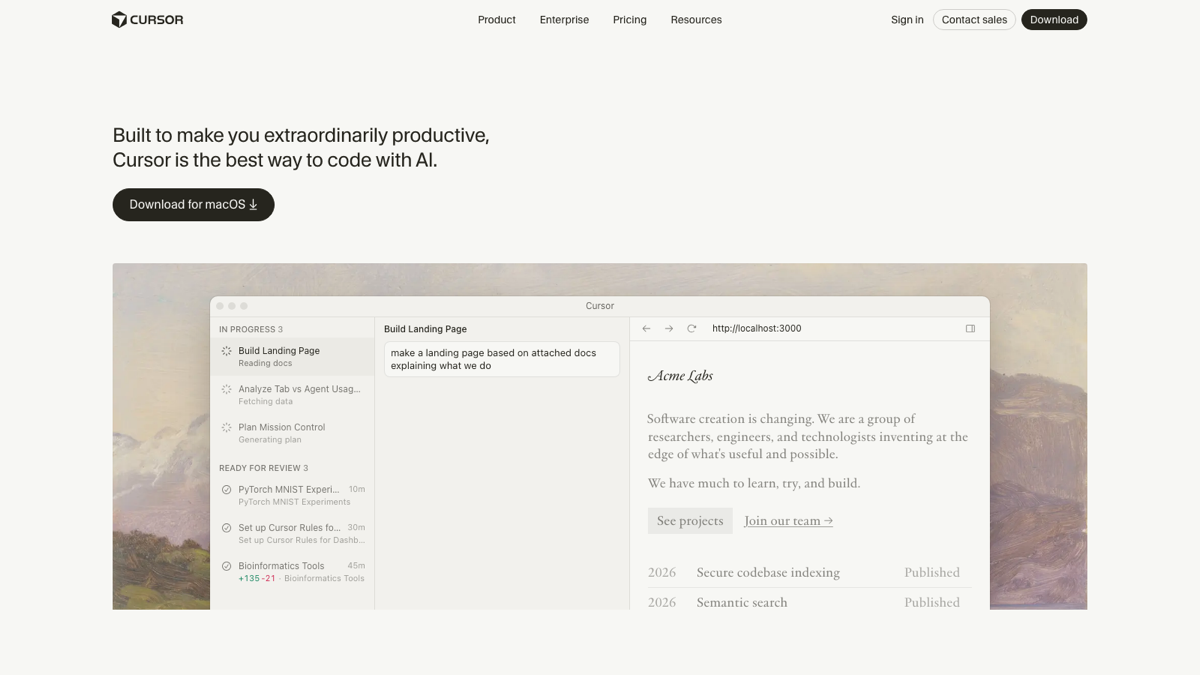
Cursor 2.0 also makes things easier by keeping more of the workflow in one place. You can open a browser inside Cursor and view your local host directly there, which means you can build and check your project without bouncing around between a bunch of windows. I like that because it keeps everything self-contained. You can even tell the agent to look at the browser while you're using it, which still kind of blows my mind. It makes the whole process feel more interactive.
Multiple agents and Git as save points
Something else I started learning about is using multiple agents. This part does require a Git repository, which sounds more intimidating than it actually is. A Git repository is basically just a way to save your project and track its history so you can go back if something breaks. I think of it like save points in a game. If you completely mess something up later, you can return to an earlier version instead of panicking. Again, this is where Cursor helped a lot because if you don't know what Git is or how to set it up, you can ask it to explain it or even help set it up for your project.
Once that's in place, Cursor can let multiple agents work on the same prompt. So instead of getting one answer, you can have different agents each try their own version of the solution. Then you can compare them and choose which one to apply. I actually really like this because it taught me something important that goes beyond Cursor: more code is not always better. The best result is usually the one that solves the problem cleanly without adding a bunch of extra code you don't need. It reminds me of writing. If you can make your point in one sentence, do that. You do not need a paragraph just because you can.
Learning in public
Right now I'm learning in public and documenting everything I'm figuring out, and using that process to get better. I think I find the most joy in learning a new tool or skill that feels daunting, and then with time, becoming really good at it. I love being able to pick up a new tool quickly, think through problems, and teach myself as I go.
The real takeaway
I did not learn Cursor fast because I secretly knew how to code already. I learned it fast because I stopped thinking I needed to know everything before I started and instead just started. I used the tool to teach me, asked a million questions, tested things, messed things up, and kept going. That's probably the biggest takeaway so far. If you're intimidated by Cursor, or by coding in general, I really do think the best thing you can do is open it and start asking questions. That's how I got here.